Take a Typing Speed Test online
Check how fast your finger can type with our typing speed test. Test your typing speed score in words per minute and keyboard efficiency in real time. At the end, you will get the result of your typing speed and learn about the accuracy of your typed words.
- WPM
- 0
- Accuracy
- 100%
- Time
- 60
- Errors
- 0
- KPS
- 0.0
Paused time is not counted.
Our typing speed tester uses sentences from textbook summaries and paragraphs. Whether you are a beginner or practising for perfection, this typing test tool would be the best for you. Check your WPM typing speed test with our tool as well.
One minute.One keybored. One challenge
This One-minute challenge is especially made for typists and learners both. This test is made with simple and complex words and punctuation altogether in the passage, so your hand can keep the rhythm. Test your skills after practice and get your results right away with our tool. This can give the result with accuracy, word count and mistakes highlighted by professionals
Every Word Counts. Every Second Matters.
This is more than a test. This is a pathway to the perfect world of typing.In our typing speed test tool, every word has its own value. Every word counts and reflects your skills.
Every mistake you make can slow your speed and remain in the tool’s memory, so we can notify you when you make the same mistake again. When you take the test, every second of your time matters. The timer starts when you start typing and ends when the time is up, and you can correct the mistakes after the test.
TIP: Keep your hand steady, type smarter; the clock is ticking.
Who It’s For?
You wishes to practice for your competitive exam, your school contest, work, and social media streaming. Initially, beginners learn finger placement and keyboard adjustments. Intermediate learners can refine their use of commas and other punctuation. Advanced typists can boost their speed for lengthy paragraphs. This online typing speed test provides you with the platform.
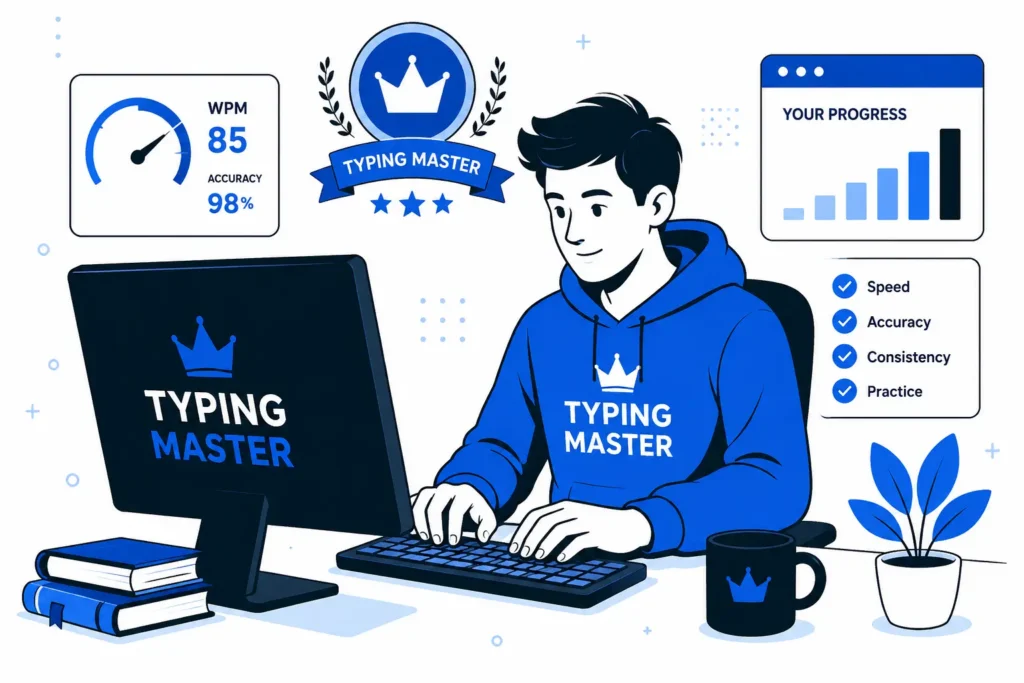
How Does This Typing Speed Test Works?
Matrics that Matters and Why?
|
Matric |
Key Points |
|---|---|
|
Typing Speed Test |
Measures typing performance |
|
WPM |
Words typed per minute |
|
Typing Accuracy |
Percentage of correctly typed text |
|
Typing Errors |
Incorrect keystrokes or characters |
|
KPS |
Keystrokes per second |
|
Test Duration |
15s, 30s, 60s, 2m, 5m,10m |
|
Text type |
Common, Quotes, Code, Numbers, Custom |
|
Typing Consistency |
Stability of typing performance |
|
Typing Performance |
Speed + accuracy + errors |
|
Typing Practice |
Helps improve speed and accuracy |
|
Typing Speed Improvement |
Tracks progress over time |
|
Typing History |
Stores previous test results |
|
Typing Certificate |
Shareable typing result |
|
Keyboarding Skills |
Speed, accuracy, and efficiency |
|
Typing Benchmark |
Compares typing speed levels |
|
Keyboard Speed |
Rate of keystroke input |
|
Typing Endurance |
Ability to maintain speed over time |
|
Typing Test Results |
WPM, accuracy, errors, KPS |
|
Speed vs Accuracy |
Balance between fast and accurate typing |
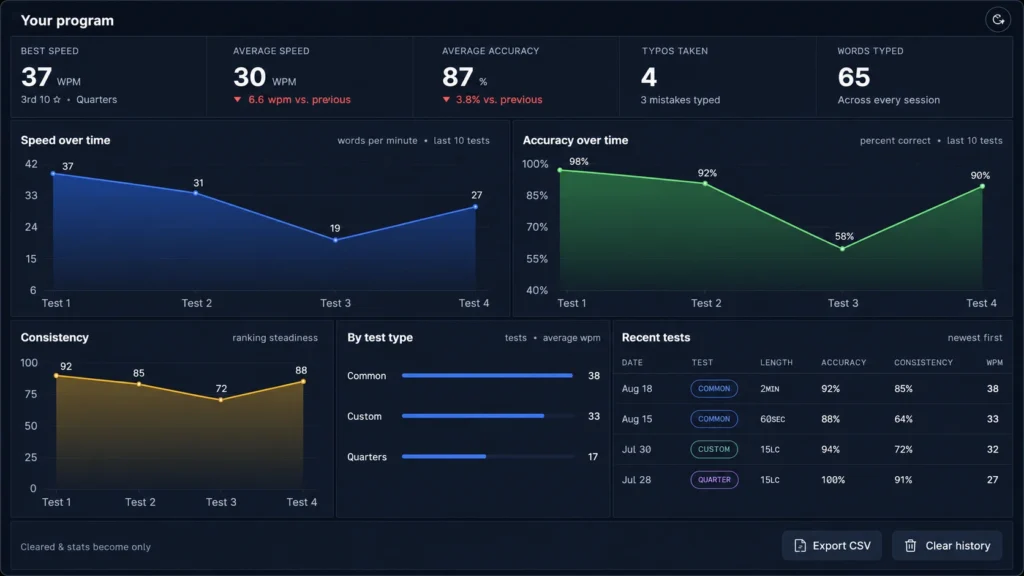
Track Your Performance Analytics
Our typing test analytics provide brief details of users’ typing results, including WPM, speed, accuracy, and consistency over time. This can help users not only track their progress but know the part where need more effort and practice and time-to-time improvement.
Typing Speed WPM Test Guide: Measure and Improve Your WPM
If you are a beginner, you should focus on the placement of fingers; left-hand fingers should be placed on F, D, S, A, and right-hand fingers should be placed on J, K, L, and the semicolon. Both thumbs should rest on the spacebar for a better approach to the keyboard. The index fingers of both hands can locate F and J with tiny bumps on the keys if they are lost.
Sit comfortably on a flat surface with your back straight. Place your keyboard in front of you and rest your wrist on it to type freely. Your monitor screen is in front of you at arm’s length to reduce muscle and neck pain. Start pressing the keys slightly, but accurately.
For the 14-day challenge, 1 to 5 days for finger placement, 6 to 10 days for the accuracy drill, and 10 to 14 days for your WPM typing speed test.
Start with short words or sentences. Initially, aim for 80% accuracy, then achieve 99% with daily hand practice.
Record your test results and track your typing speed with daily typing practice. Beginner WPM typing speed: 20-30 WPM over 1 month of daily practice is considered good. Intermediate is considered 40-70 WPM, and advanced is above 80 WPM; 99% accuracy is considered excellent.
Built to Support Focused Learning
Typing speed improves with repetition, focus, and consistency. This typing speed test gives immediate results, highlights the mistakes, and helps you go. First consistency, then results:
Types of Typing Speed Test
These different types of typing speed test measure different skills:
Common Typing Speed Test Mistakes with Solutions
|
Common Mistakes |
Solutions |
|
Looking more at your keyboard while typing can cause visual guidance rather than muscle memory. |
You can fix this with a touch-typing test or by covering your keyboard. |
|
longer finger travel increased fatigue and stress. |
Use both hands for better speed. |
|
Mistakes like focusing on speed over accuracy can lead to typing errors or continuity issues from frequent backspace presses. |
This mistake can be fixed by focusing on accuracy and speed. |
|
Sitting in bad posture, like bent wrists, pressing keys hard, and sitting too low and too high from the monitor, affects speed the most |
Relax your shoulders and wrists while typing. |
|
Beginners often don’t use the pinky finger to type tasks like shift, enter, backspace, and A /; / Q/ P |
Training the pinky for these can fix the problem. |
|
Some typists can type smoothly with letters but are slow with numbers, punctuation, symbols, and capitals |
Practice with these can increase speed. |
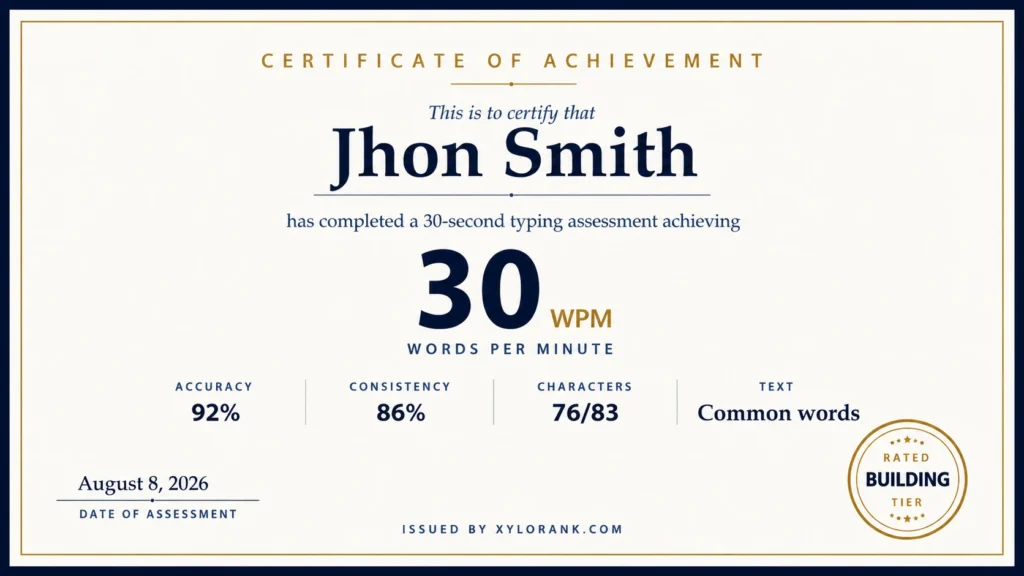
Take a Typing Test for a Free Certificate.
Recruiters and instructors never believe a word of “I can type fast.” Everyone needs proof in the form of a written statement or certificate. Achieve our free professional certification on the basis of your typing speed test without an email, without payment.
You can export to PDF or PNG, or download directly to print.
Once you open the 1-minute test certificate, enter your name and export it. For 2 minutes or more, the certificate will be polished with a professional touch, so you can attach it to applications, portfolios, and profiles.
Typing Speed Test Benchmarks by Profession.
Under 30 WPM
Discovery Stage
This is the initial stage for hand placement and pressing keys on the keyboard, and is used for casual typing.
30-50 WPM
improved stage
Its better than the beginner stage and is mostly used for office tasks and email customization
50 to 80 WPM
proficient stage
Good typing speed for competitive exams and data entry jobs. Good alignment of hands and keyboard.
80 to 100 WPM
Excellent stage
An excellence typing speed. Typists and professional data entry operators can achieve this typing speed.
100 to 120+ WPM
Elite Stage
At this level, the competitive typist and medical transcriptionist can work smoothly.
Check Your WPM
WPM is the score of the words you typed in one minute. You can begin with 95% accuracy at 30 WPM. Typing 40 WPM with 99% accuracy is better than 50 WPM with more mistakes.
Check Your CPM
CPM stands for characters typed in one minute, like letters, spaces, numbers, and punctuation. You can measure CPM manually with correctly typed characters by the time spent on typing.
Here’s What Makes Us Stand Out
This platform is light, user-friendly, and private. The data is stored on your device, so there is no threat of theft or misuse.
Press start and just go with the flow in typing word to word and character to character. You can see the results in terms of WPM, accuracy, Typing speed, KPS, consistency score, and error heatmap, so you can track which keys need more improvement.
Here you can experience fewer paywalls and pop-ups, and choose 5-minute to 30-minute tests with common text, quotes, code, and numbers.
Our Promise to you.
This typing speed test is free, fast, and easy to use. The tool works clearly, results are even, and numbers are fair. Because for us, your time is valuable; your efforts are priceless, as per your progress. This platform is easy to use for handling different tasks, so you can record your progress at different times. Start typing a little and grow with consistency. From this point on, your hands will learn, and you can type at your own pace. And you will notice your confidence will boost from time to time.